Before you order custom postcards, ask the printer about mockups, revisions, sizes and finishes, versions, turnaround after approval and who prepares the mailing side. Get Custom Postcards answers each one plainly: a free mockup within 24 hours, unlimited free revisions, 2 to 4 weeks after approval and nothing to pay until you approve. This checklist covers every question.
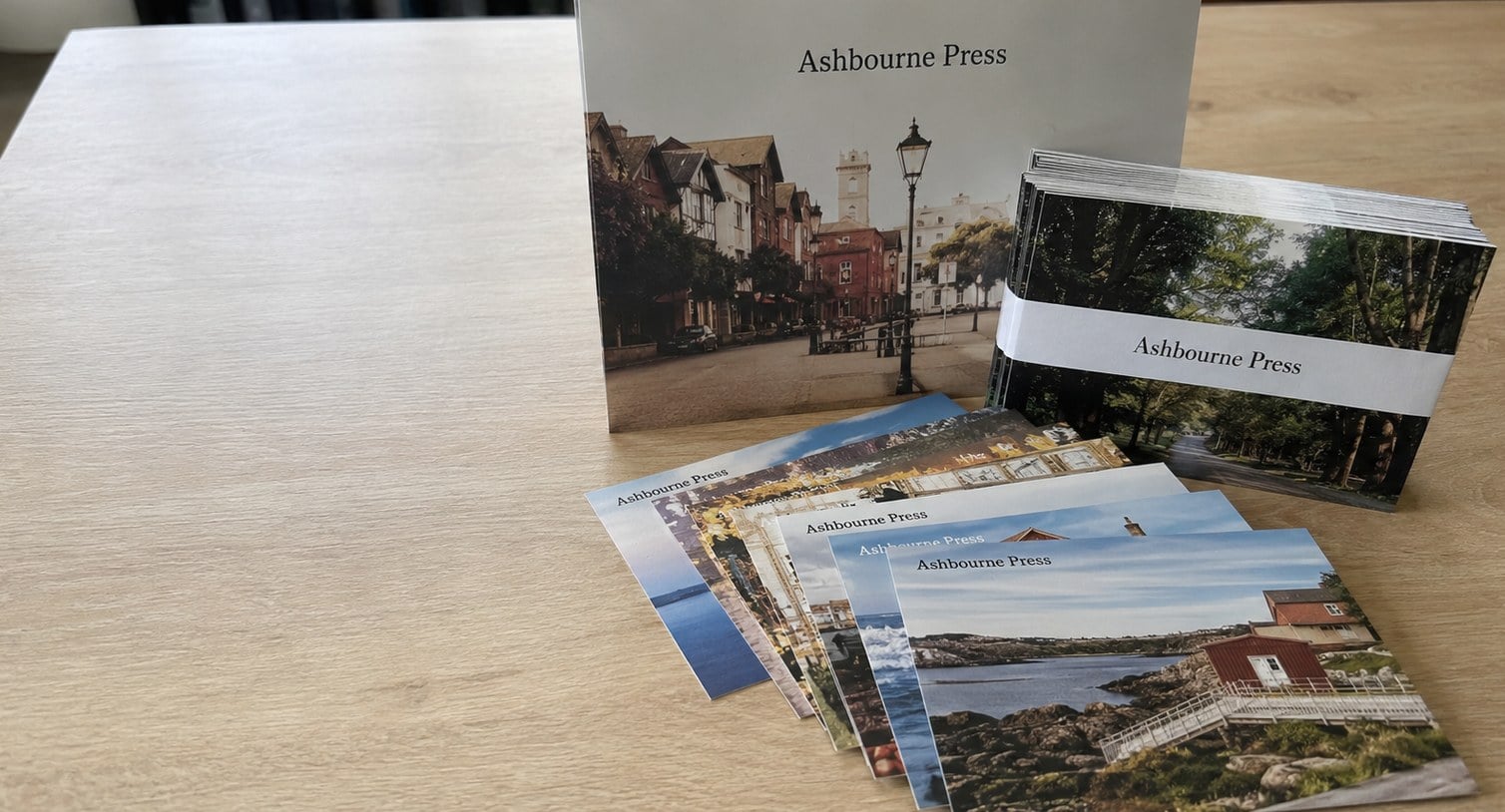
- Free mockup within 24 hours, before any payment
- Unlimited free revisions until you approve the design
- 2 to 4 weeks after approval; express shipping available
- Standard, jumbo, glossy, matte and foil postcards
- Mailing panel and EDDM layout prepared during design
What should you ask a postcard printer before you place an order?
Before ordering custom postcards, ask any printer five things: what it needs from you to start, whether you will see a mockup before paying, how revisions work, what the real turnaround is after approval, and who prepares the mailing side. Clear answers to those questions prevent most reprints, missed mail dates and surprise charges on a postcard order.
Many buyers only ask about the total and the delivery date. Those matter, but they are outcomes of decisions made earlier: the size you choose, the finish, how many versions you need and whether your artwork is ready to print. A good printer will walk you through those decisions instead of quoting a number and waiting for a file.
Use the checklist in this guide whether you are ordering your first postcards for a new shop or switching suppliers for a recurring mailing. Each section covers one group of questions, what a strong answer sounds like and how Get Custom Postcards handles it.
- Starting: what you need to send and whether design help is included.
- Approving: mockups, proofs and revision limits.
- Producing: sizes, stocks, finishes and versions.
- Delivering: turnaround, shipping and mailing preparation.
Will I see a mockup before I pay for my postcards?
Yes, you should always see a mockup of your postcards before any payment is due, and you should ask a printer to confirm that in writing. Get Custom Postcards returns a free mockup within 24 hours of your request, offers unlimited free revisions and asks you to pay nothing until you approve the design.
Some printers only send a proof after the order is paid, which leaves you negotiating changes on a job you have already committed to. Others treat the proof as a formality and charge for every round of edits. Ask directly: how many revision rounds are included, and is there a fee if I change the headline, swap a photo or move the QR code?
Also ask what the mockup shows. A useful postcard mockup shows both the front and the back, the trim edge, the safe area for text and the space reserved for the address and postage. If the printer only shows the front, you cannot judge whether your offer, phone number and return address fit around the mailing panel.
- Is the mockup free, and how fast will it arrive?
- Are revisions unlimited, or capped?
- Does the mockup show both sides and the mailing area?
What does a postcard printer need from me to get started?
A postcard printer should be able to start with very little: your logo, the message or offer, the size you want and where the postcards are going. Get Custom Postcards can build a full design from a logo and a few lines of text, so you do not need finished artwork or design software to request a quote.
Ask whether the printer designs from scratch or only prints files you supply. If you have existing artwork, ask what file types it accepts and whether someone will check the file for bleed, low-resolution images and text too close to the edge. Our postcard artwork checklist on the blog covers those file details in depth.
Tell the printer how the postcards will be used. A card mailed through EDDM needs different back-side preparation than a card handed out at a counter or tucked into a shipping box. Sharing the use up front lets the printer recommend the right size, stock and layout instead of fixing problems at the proof stage.
- Send your logo in the best version you have.
- Write the headline, offer and call to action in plain words.
- Name the size, or ask for a recommendation.
- Explain whether the cards will be mailed, handed out or both.
Which sizes, stocks and finishes can the printer actually produce?
Ask which postcard sizes, paper stocks and finishes the printer offers before you design, because those choices shape the layout. Get Custom Postcards prints standard and jumbo postcards, full-color fronts and backs, glossy or matte finishes and foil accents, so you can match the card to the job rather than settling for one format.
A standard postcard is the everyday choice for reminders, coupons and neighborhood mailings. A jumbo postcard gives photos and offers more room and stands out in a crowded mailbox. Our guide to standard vs. jumbo postcards explains when the larger card is worth it.
Finish matters too. Glossy postcards make photos pop, while matte postcards are easier to write on and read under bright light. Ask whether the printer can put a different finish on each side, and whether a sample or photo of each finish is available before you decide.
| Question to ask | Why it matters |
|---|---|
| Do you print standard and jumbo sizes? | Size affects design space, mail handling and impact. |
| Is full color available on both sides? | The back often carries the offer, map or QR code. |
| Which finishes do you offer? | Glossy, matte and foil change how the card looks and writes. |
| Can I see the finish before printing? | A sample prevents surprises on a large run. |
Can one postcard order include several versions?
Ask whether a single postcard order can include several versions, because many businesses need different addresses, offers or photos for each location, team or audience. Get Custom Postcards prints multi-version runs, so a franchise, a multi-office practice or a seasonal campaign can keep one shared design with local details changed on each card.
Versions are common for more reasons than locations. A home service company may send one card to past customers and another to new neighborhoods. A nonprofit may thank donors with one message and invite prospects to an event with another. Ask how versions are labeled, packed and shipped so the right cards reach the right place.
Also ask how reorders work. If one location runs out first, can that version be reprinted without reordering the whole set? The answer tells you whether the printer keeps your approved files on hand and how easily you can repeat a mailing later. Our page on bulk logo postcards for multiple locations covers this in detail.
How long will my postcards take after I approve the proof?
The honest turnaround question is not “how fast can you print” but “how long after I approve the proof will the postcards be in my hands?” Get Custom Postcards prints and ships in 2 to 4 weeks after approval, and faster turnaround is available with express shipping when a mail date is close.
Ask the printer when the clock starts. Some quotes count from the order date and others count from proof approval, which can make two similar promises very different. Your own review time counts as well: if the owner, a manager or a board needs to sign off, build those days into the plan before you commit to a mailing date.
If the postcards are going to a mail house or straight into the mail stream, work backward from the in-home date you want, not the print date. Our postcard mailing timeline post on the blog shows how to plan each step so approvals do not squeeze production or postal delivery.
- Does turnaround start at order or at approval?
- Is express shipping available if the date moves?
- Can the cards ship directly to my mail house?
Who prepares the mailing side of the postcard?
Ask who sets up the back of the postcard for mailing before you approve a design, because the address block, postage area and return address follow postal rules. Get Custom Postcards prepares the mailing panel as part of the design, including the layout needed for EDDM postcards, so the card is ready for the route or list you plan to use.
Getting this wrong can send a card to the wrong postage category or force a reprint. Ask whether the printer checks the size and layout against postcard rate rules, leaves clear space for addressing and keeps your offer out of the area the post office uses for sorting and barcodes.
Then ask what happens after printing. If you are using EDDM postcards, confirm how the cards are bundled. If you are mailing to your own list, confirm whether the cards ship to you, to a mail house or to another address you name.
What drives the cost of custom postcards, and how do you get an accurate quote?
The cost of custom postcards depends on the quantity, the size, the paper and finish, whether foil or other special effects are added, how many versions you need and how quickly you need them shipped. Ask the printer to quote the exact combination you plan to order rather than a sample price for a different card.
An accurate quote also depends on clear details. If you are undecided between standard and jumbo, or glossy and matte, ask for both options on the same quote so you can compare like for like. Ask whether design work, revisions and the mailing panel setup are included or billed separately.
Get Custom Postcards answers pricing through a custom quote, because the right answer depends on your card, not on a generic chart. Request one through the custom quote form, and you will receive the free mockup and the quote together, with nothing to pay until you approve the design.
What should a first-time postcard buyer check before approving the order?
Before approving a postcard order, a first-time buyer should check the proof line by line, confirm the quantity and versions, and confirm the delivery address and date in writing. Those three checks catch most problems while changes are still free and easy to make.
Read the proof out loud. Check phone numbers, web addresses, offer dates and business hours, then scan the QR code with your phone to make sure it opens the right page. Look at photos at full size, not just in a thumbnail, and confirm that the logo and brand colors match the rest of your printed material.
- Check every phone number, address, date and URL.
- Scan the QR code and confirm the landing page.
- Confirm size, finish, quantity and version count.
- Confirm the ship-to address and the date you need the cards.
- Approve only when every item above is correct.
Get Custom Postcards makes changes free until you approve, so there is no cost to asking for one more revision. Our how it works page shows each step from request to delivery.
Frequently asked questions
How do I compare quotes from two postcard printers fairly?
Compare postcard quotes only when both printers are quoting the same size, quantity, stock, finish and number of versions. Ask each one whether design, revisions, the mailing panel and shipping are included. Get Custom Postcards quotes your exact card through its custom quote form, so you can line it up against another printer's offer without guessing at hidden extras or missing setup steps.
Should a postcard printer ask how my cards will be used?
A good postcard printer should ask whether the cards will be mailed, handed out at a counter, packed into orders or delivered door to door. The answer changes the size, the back layout and the finish that makes sense. If a printer never asks, you may end up redesigning the card at the proof stage, which delays the order and the mailing.
Can I ask for a different design for each mailing audience?
Postcards for different audiences can share one order with separate versions, such as one design for past customers and another for new prospects. Ask the printer how versions are labeled and packed. Get Custom Postcards prints multi-version runs, so each audience receives a message written for it while the brand, colors and layout stay consistent across every card in the run.
What should be included in a postcard quote besides printing?
A complete postcard quote should state whether design work, unlimited revisions, mailing panel setup, versions, finishes and shipping are part of the price. Ask the printer to spell out anything billed separately before you approve. A clear quote lets you compare suppliers fairly and avoids a surprise line item after the proof is signed off and the cards are already in production.
How can I tell if a postcard printer understands direct mail?
Postcards for direct mail need a printer that talks about the mailing panel, postage area, EDDM preparation and in-home dates without being prompted. Ask how the printer keeps offers clear of the sorting area and how cards are bundled for the route. Get Custom Postcards sets up the mailing side during design, so the card is ready for the post office.
Is it worth asking a printer for samples of past postcard work?
Samples of past postcard work show how a printer handles color, photos, small text and finishes on real cards. Ask for photos of glossy, matte and foil examples, or a physical sample if the order is large. Seeing the finish before you choose helps you decide which look fits your brand and avoids disappointment when the full run arrives.
Who owns the design files after a printer creates my postcard?
Postcard design files created for your order should be available for reorders, and you should ask the printer how they are stored and reused. Knowing this up front makes repeat mailings fast. Get Custom Postcards keeps approved designs on hand, so you can reorder the same card or request a small change for a new season without starting over.
What questions should I ask about postcard reorders?
Postcard reorders go smoothly when you ask three things before the first order: whether the printer keeps your approved files, whether one version can be reprinted on its own, and whether small edits like new dates are treated as revisions. Get Custom Postcards supports repeat runs, so a monthly or seasonal mailing can be reordered quickly from the approved design.
Should I ask a postcard printer about paper and coating durability?
Postcards travel through sorting machines and mailbags, so ask the printer which stock and coating hold up best for your use. A card mailed in bulk needs a sturdier build than one handed across a counter. Get Custom Postcards recommends the stock and finish during the mockup stage, based on whether the cards will be mailed, displayed or handed out.
Can a postcard printer help write the offer on my card?
Postcards work best with a short headline, one clear offer and one call to action, and a good printer can help shape that copy during design. Ask whether wording suggestions are included with the mockup. Get Custom Postcards can turn a few lines of rough notes into a finished layout, then refine the wording through unlimited free revisions before you approve.
What red flags should I watch for when choosing a postcard printer?
Postcard printer red flags include payment demanded before you see a proof, limited or paid revisions, vague turnaround that starts at an unclear point and no mention of the mailing panel. Quotes that skip finish, size or version details are another warning sign. A printer that answers each checklist question plainly is far less likely to cause a reprint or a missed mail date.
Get a free mockup for your postcards
Send your logo or idea and the quantity you have in mind. Get Custom Postcards returns a free mockup within 24 hours, you approve the design before anything is produced, and standard turnaround is 2 to 4 weeks with faster options available. Get a custom quote.